Role
Principal Product Designer

Aviation MRO workflows — creating work orders, logging maintenance items, filing eLogbooks, planning budgets — are compliance-heavy and high-friction. Maintenance planners, technicians, and Directors of Maintenance had to cross-reference historical records, aircraft data, and structured forms across multiple screens for even routine tasks.
Creating a single maintenance item took 2 minutes 47 seconds on average. Multiplied across fleets and daily operations, that overhead delayed the one thing that matters most in this industry: returning aircraft to service.
And there was a second, structural gap — the product had no budget forecasting capability at all. Cost optimization was reactive; maintenance leaders had no way to look across their own fleet history and see where money was leaking.
The constraints weren't obstacles to work around — they were strategic decisions that shaped V1.
Users had years of muscle memory in current workflows. Building the AI layer from existing Runway components meant AIRE felt like an accelerant to what they already knew — not a parallel system to relearn.
From engineering's side, existing components meant a faster path to launch. The priority was real customer feedback on the agent concept as early as possible — not holding the release for a "perfect" bespoke experience.
Aviation maintenance data is safety- and audit-critical. Every AI action needed clear provenance, editability, and a confirm/override step before committing to the record.
Agent usage carries compute cost. The experience had to handle approaching limits, exhausted credits, and a "request more credit" path — not just the happy path.
Mapped every step of the highest-friction workflows to find where manual entry, lookups, and decisions consumed the most time — anchored to one metric: aircraft uptime.
Split capabilities into action agents (create a record) and analytical agents (surface a recommendation). Scoped seven agents, each with one clearly answerable job.
Every interaction state per agent — idle, thinking, suggestion, edit/override, error, done — in the Runway design system, for web and mobile in parallel.
Individual agent logos, a three-step in-app launch funnel, and credit/monetization states — designed as part of the product, not an afterthought.
Seven agents, one identity system: a shared badge shape with a distinct mark and accent color per agent — recognizable at a glance, unmistakably one family. Agent access maps to subscription tiers, turning the roster itself into the monetization model.


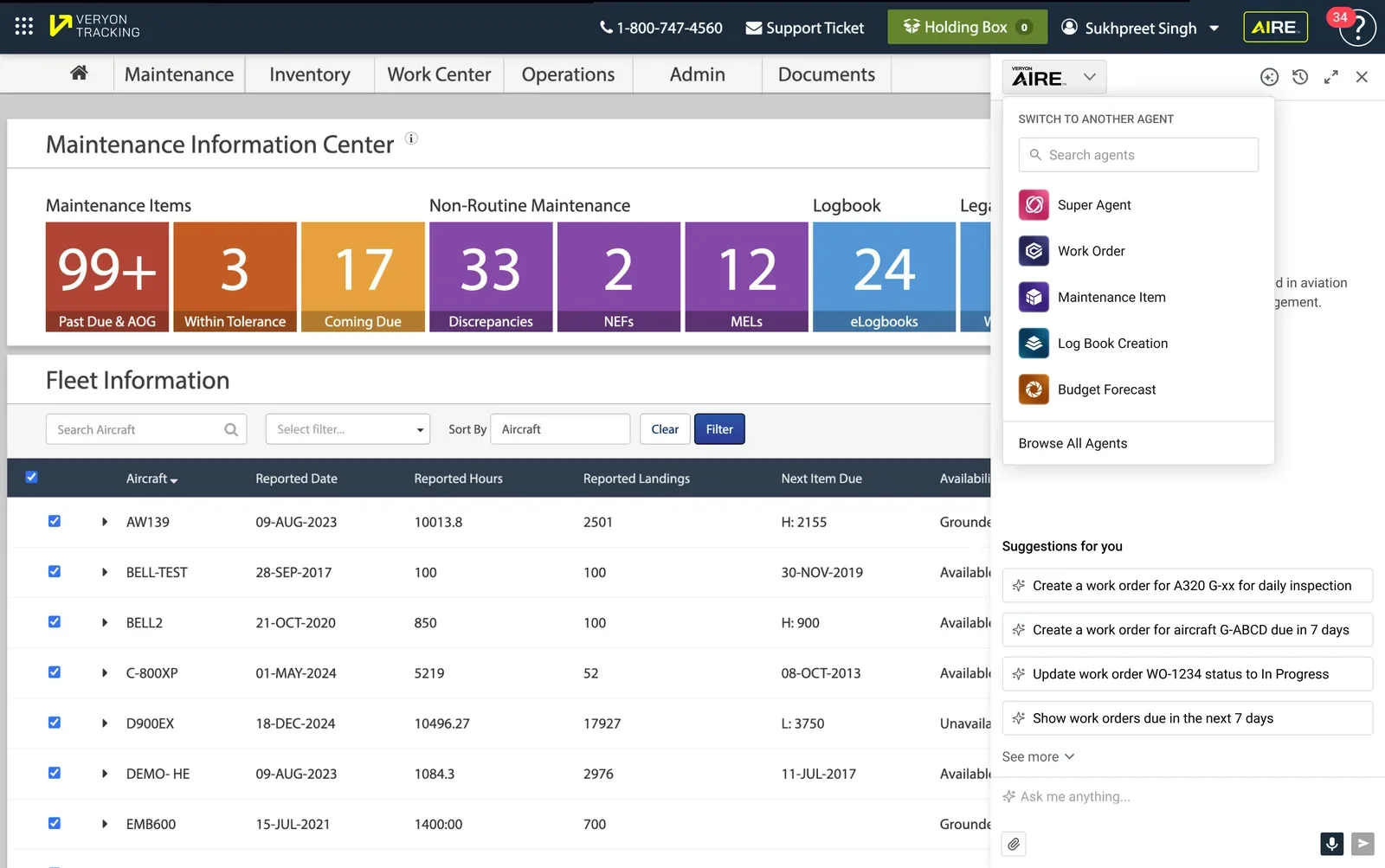
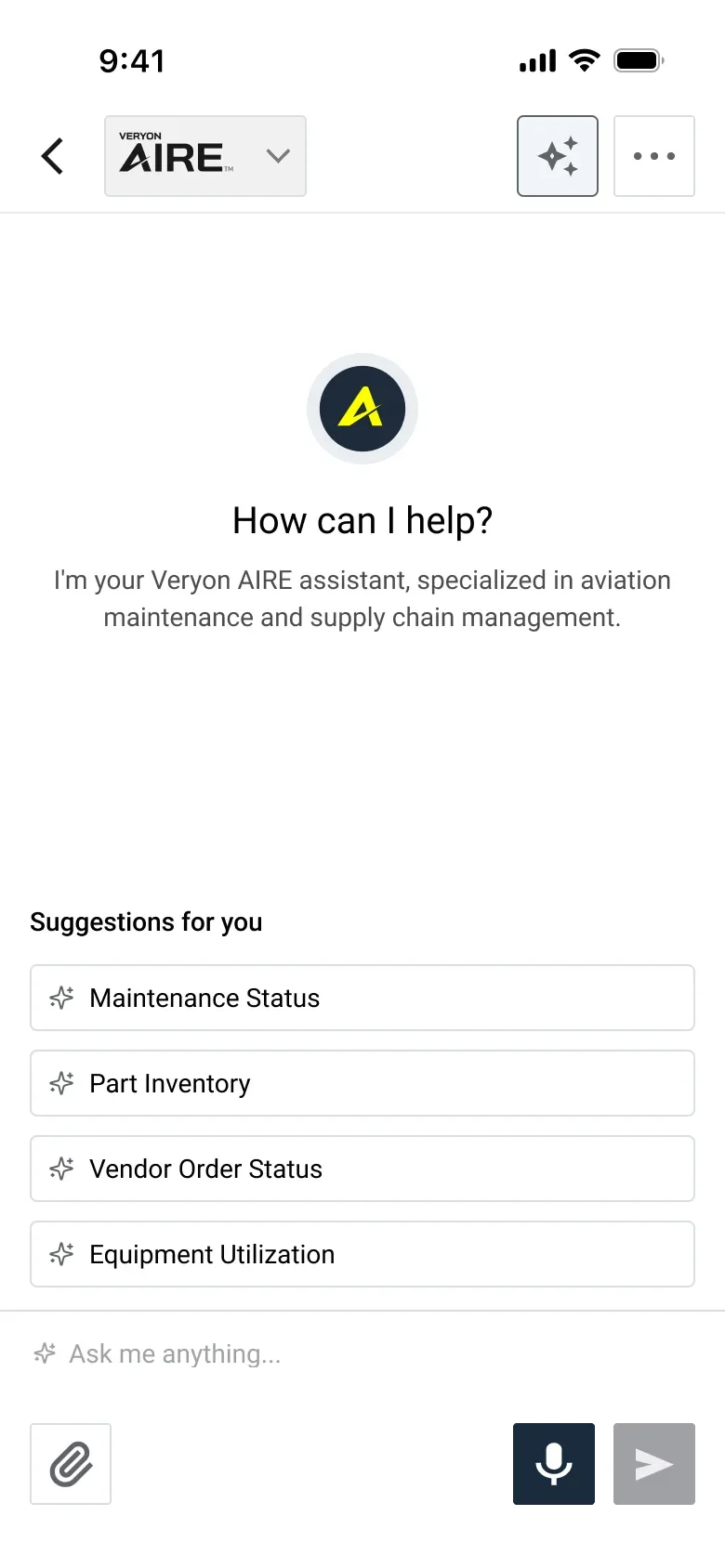
The first concept offered a fixed grid of quick actions — the same four buttons for every user, every session. Testing it against real use cases pushed the design further: suggestions generated from each user's most-used features and their fleet's live urgency data, so the panel surfaces what needs attention instead of waiting to be asked.
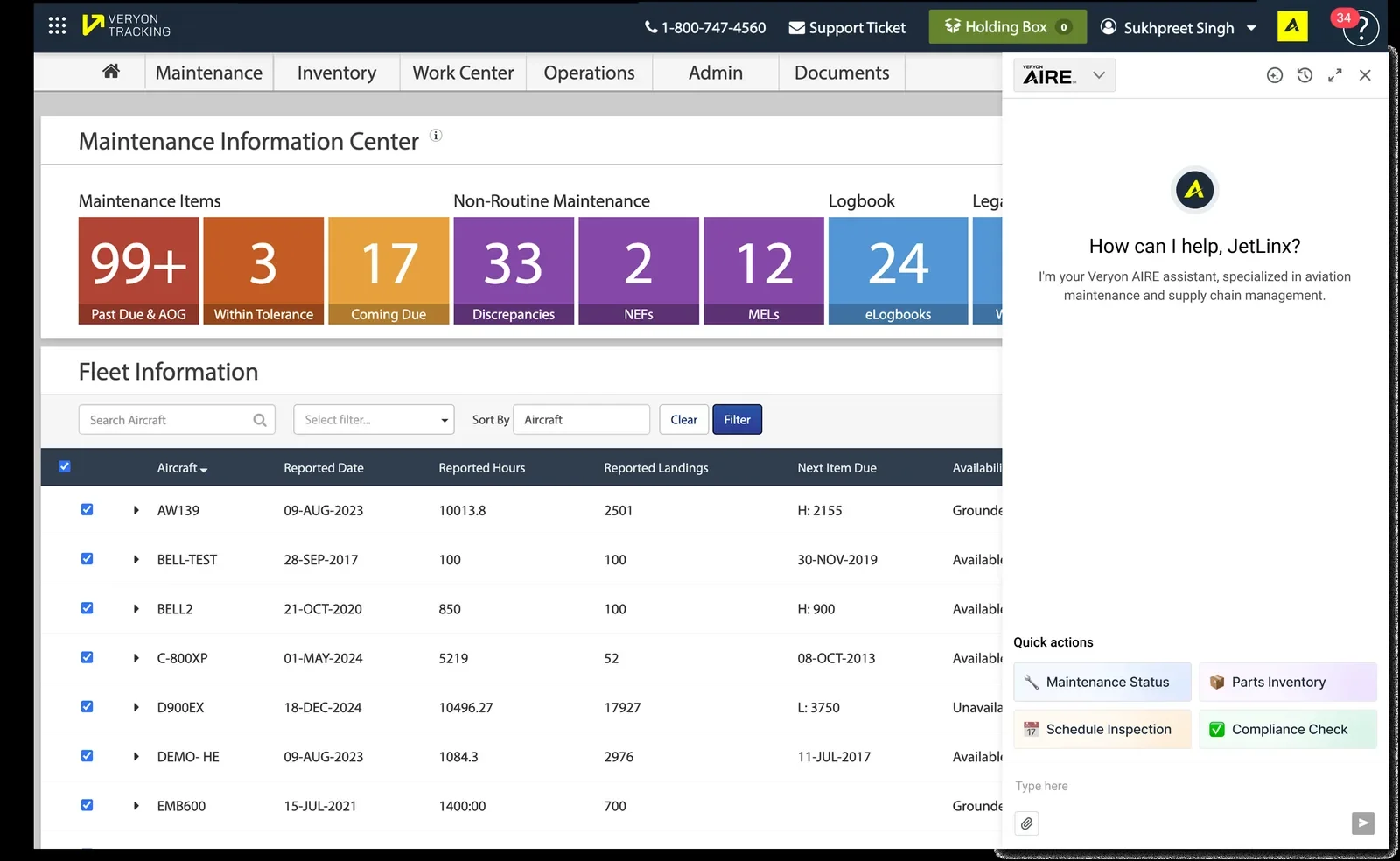
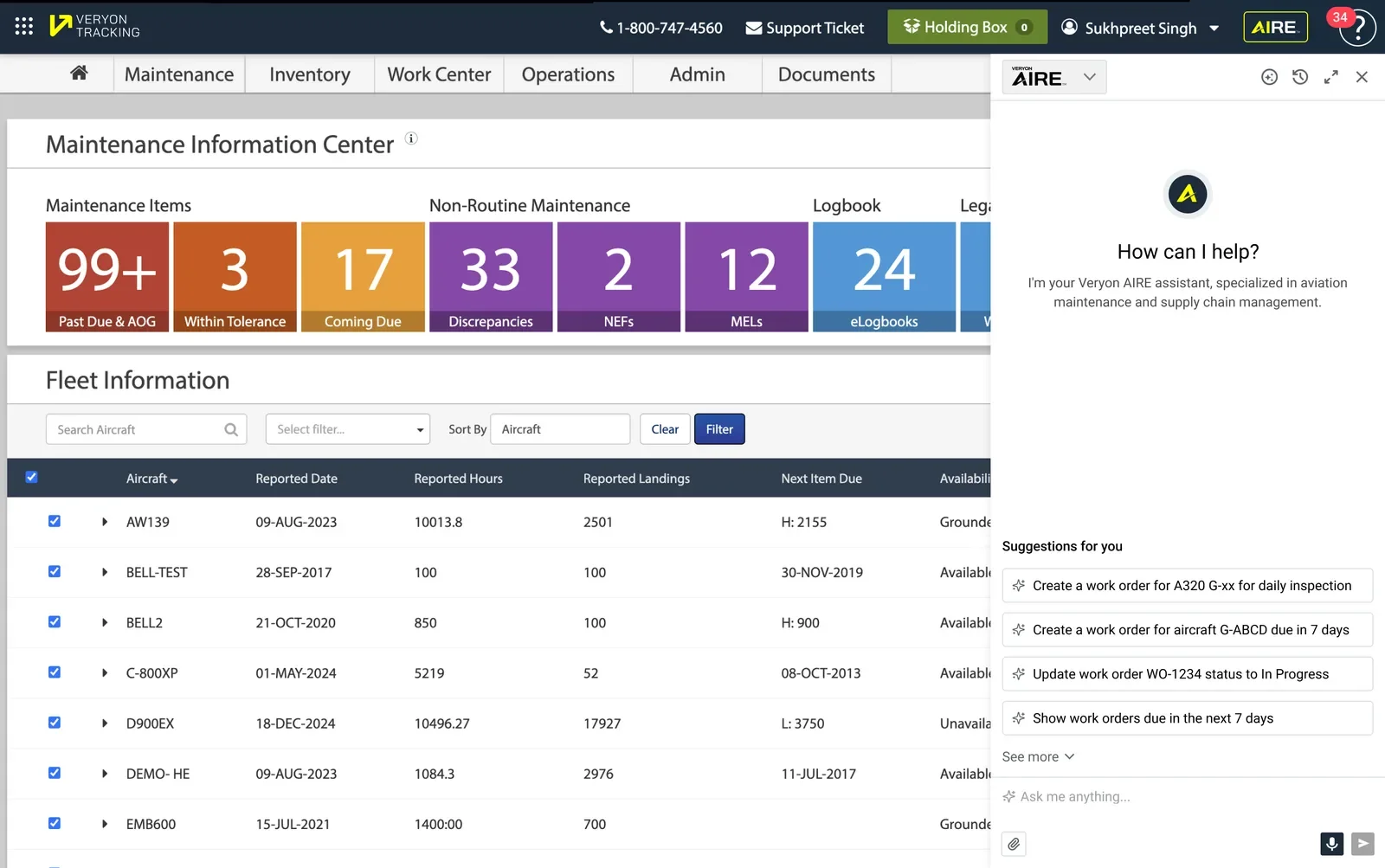
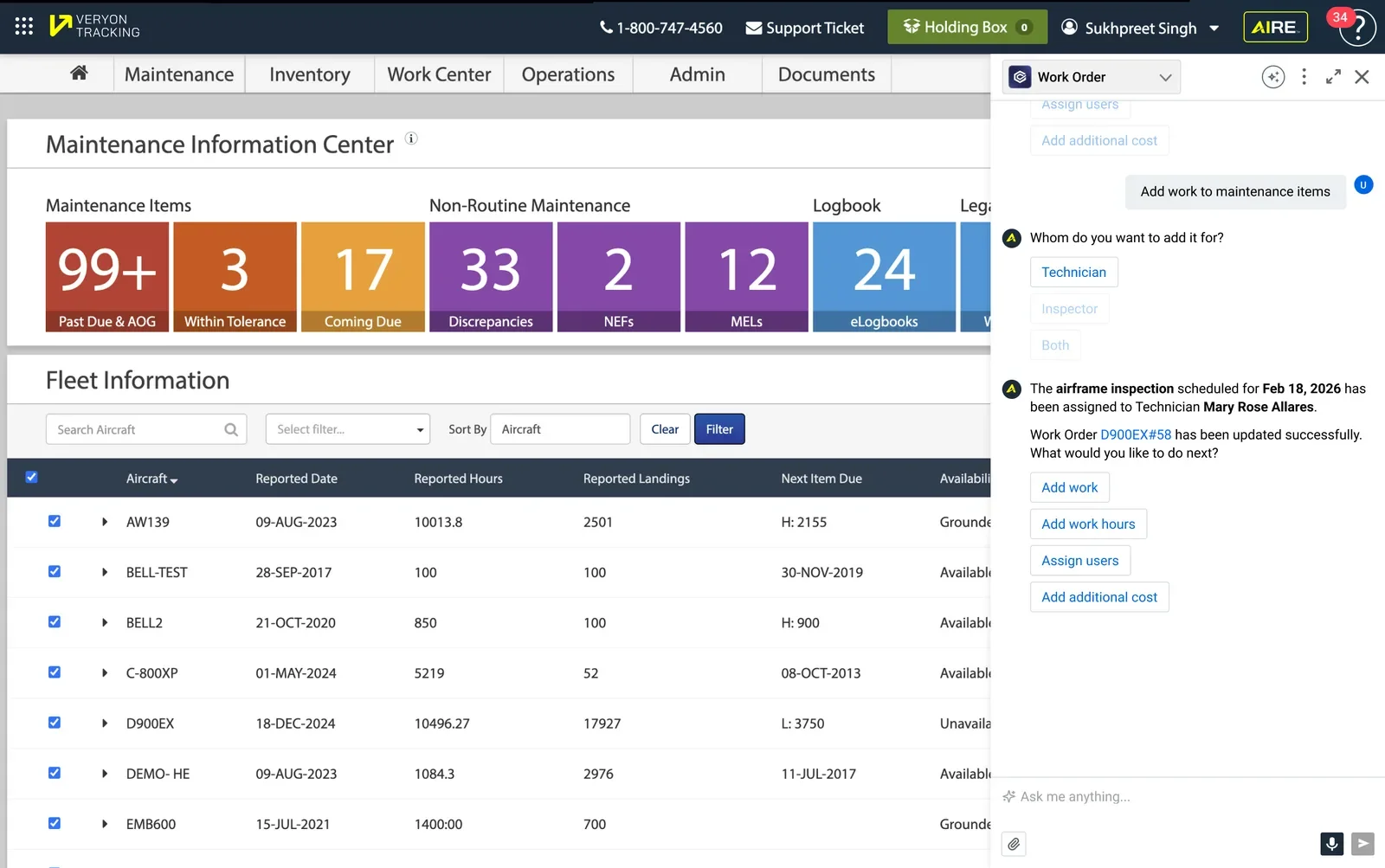
AIRE opens as a panel beside the user's real screen — never a separate destination — with every state designed: idle, thinking, suggestion, override, error, credit-exhausted, done.
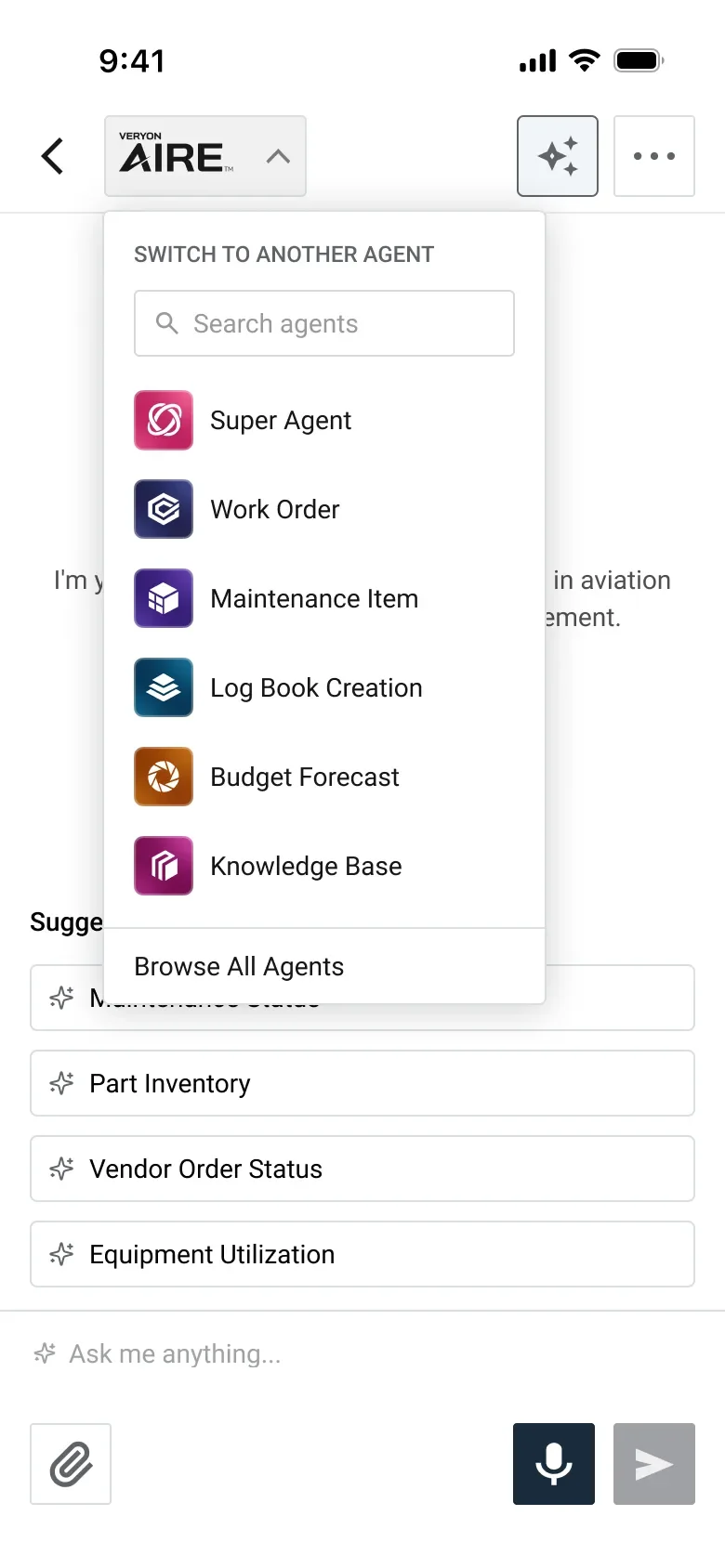
Users switch between agents based on their subscription — the color-coded identity system carries straight from the logo set, so recognition is instant.
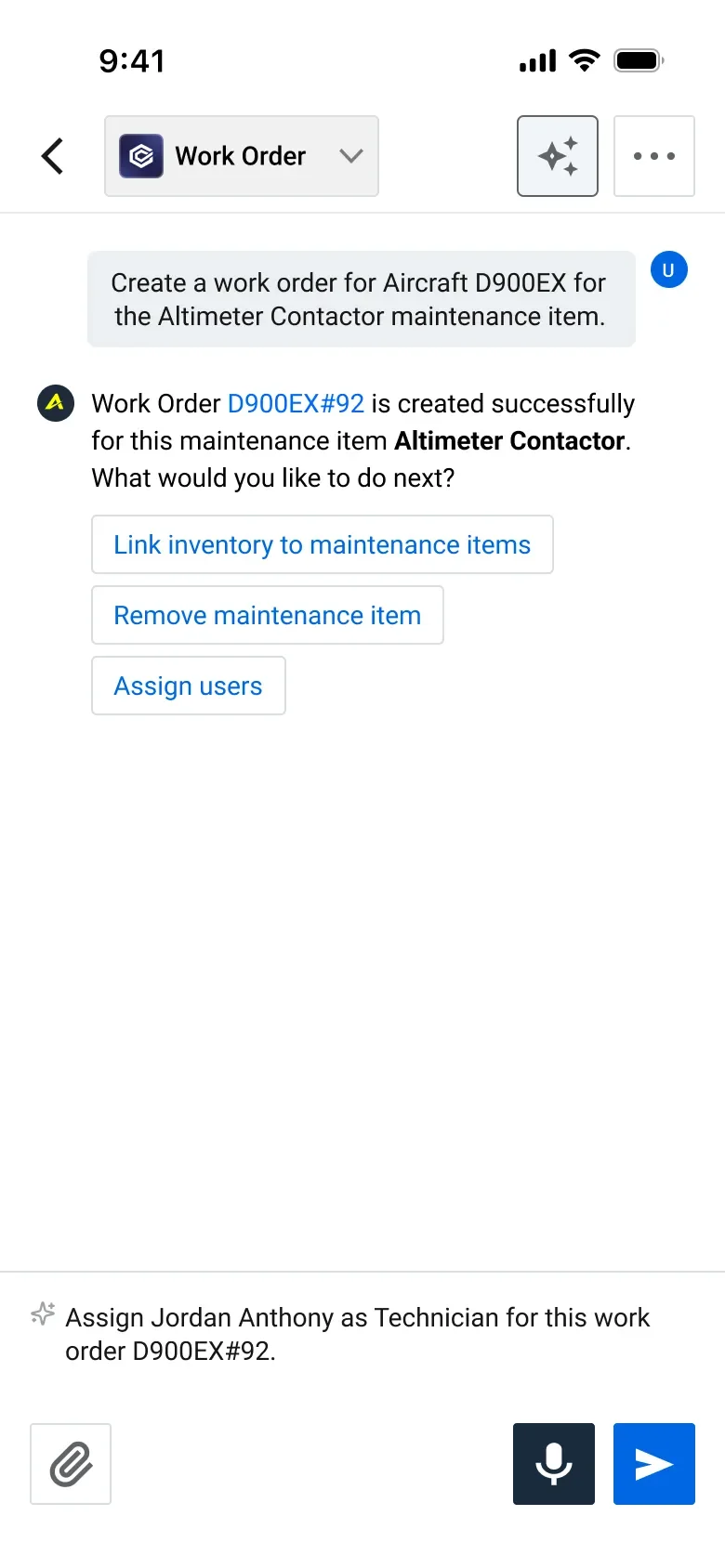
After each completed action, AIRE suggests what users most often do next — turning a multi-screen sequence into one guided thread. Ambiguity is resolved with explicit choices ("Technician / Inspector / Both"), never guesses.
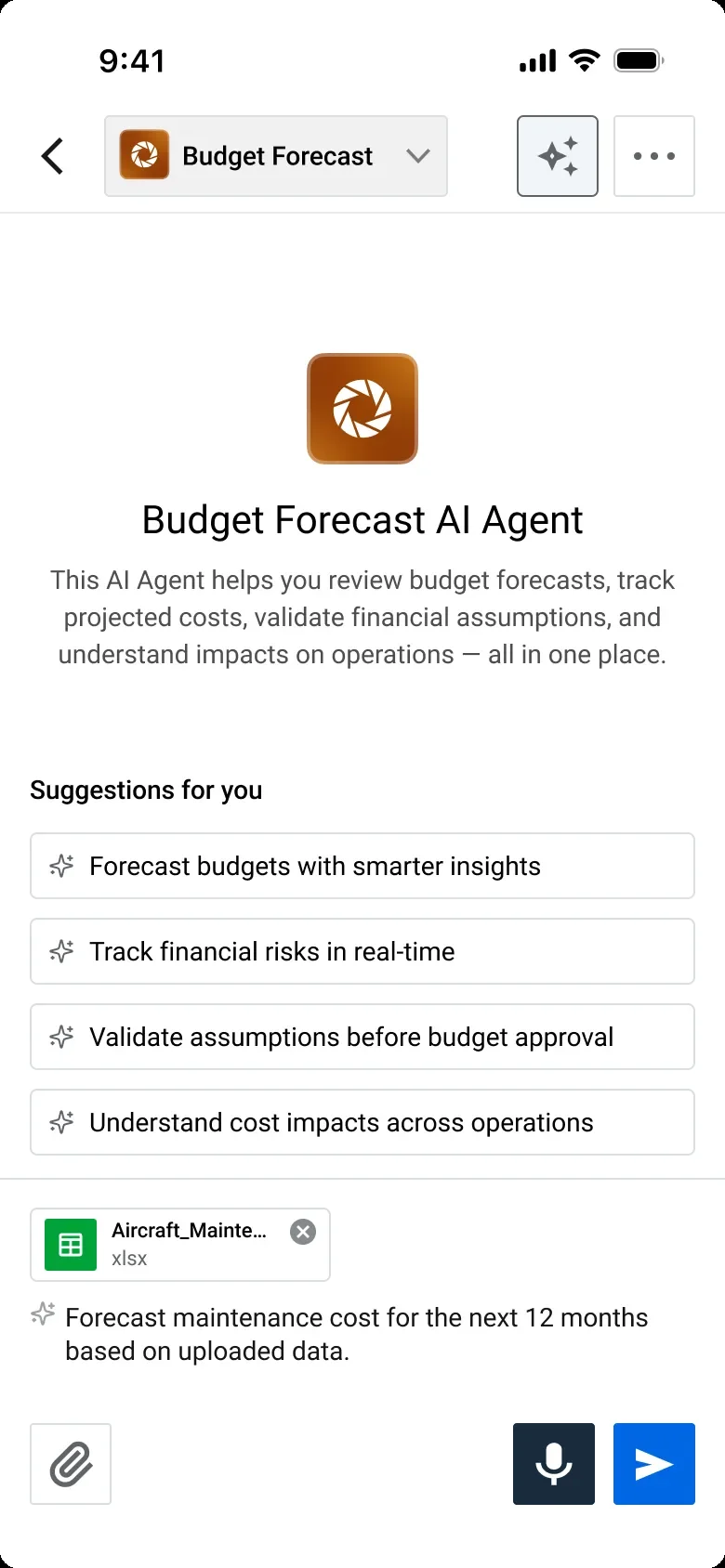
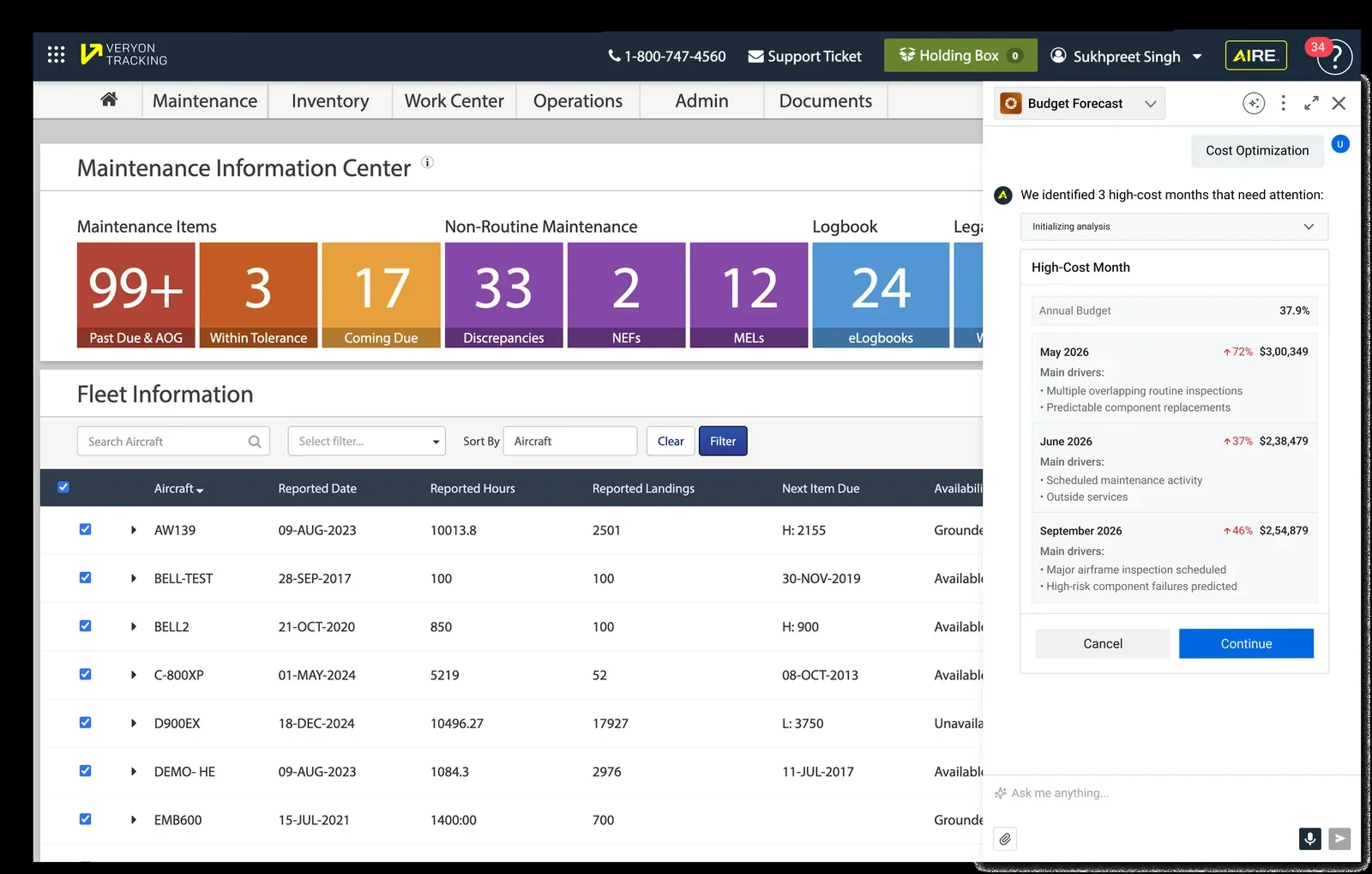
The Budget Forecast agent scans fleet maintenance history, flags high-cost months with the drivers behind them, and proposes an optimization plan — savings that scale into the thousands of dollars with fleet size.
Not a scaled-down afterthought — the full agent roster, suggestion engine, and chained flows, designed natively for mobile. Plus a mobile-first extra: uploading fleet spreadsheets straight into the Budget Forecast agent.
I designed the launch campaign as a three-step in-app funnel — meeting users at different levels of readiness instead of one hard sell.
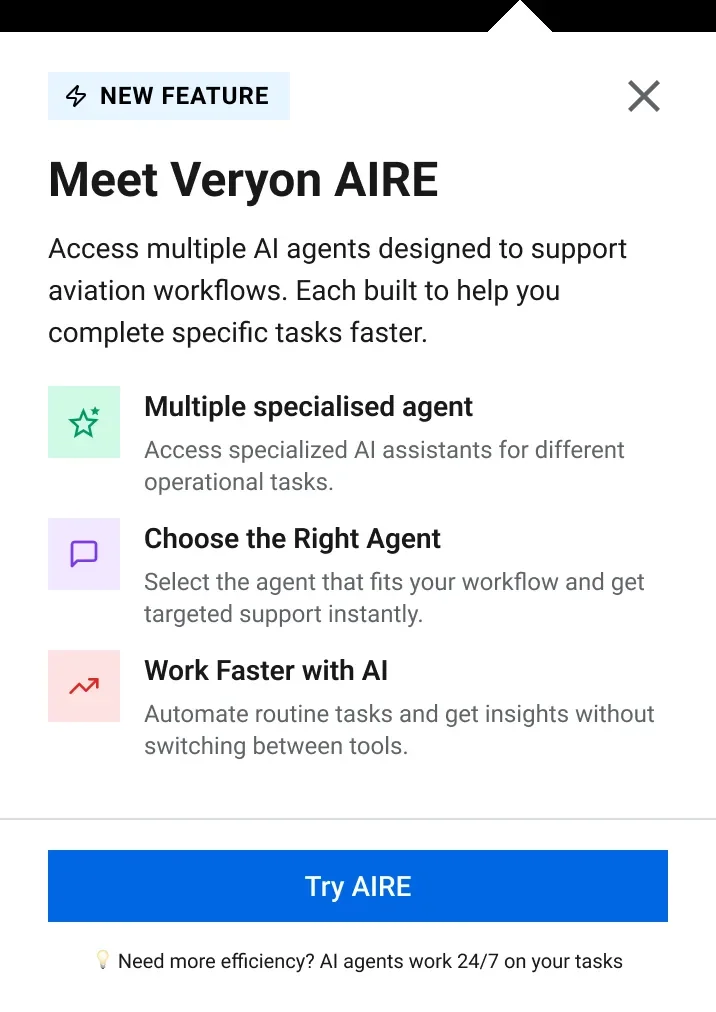
A lightweight "New Feature" moment: three plain-language value props and a low-commitment "Try AIRE" CTA.
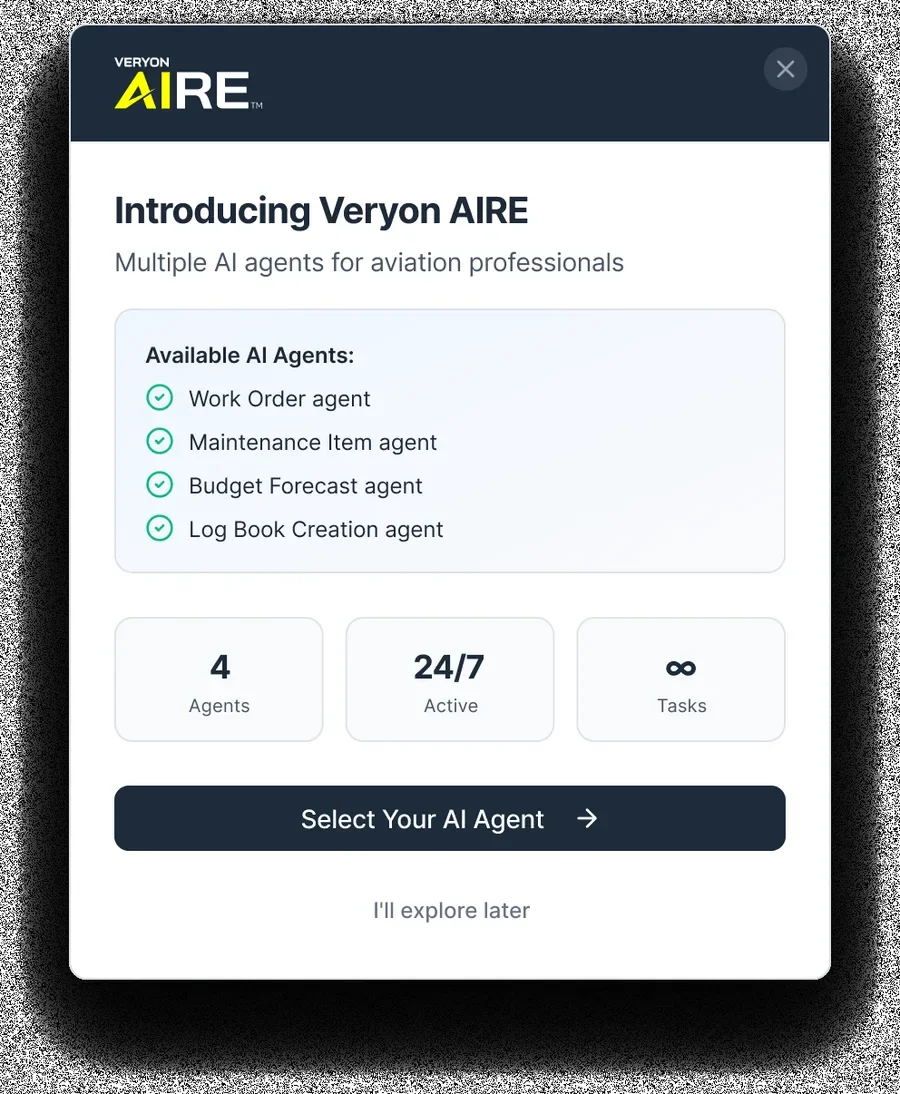
The agent roster as a checklist, confidence stats, a clear primary path — and a no-pressure "I'll explore later."
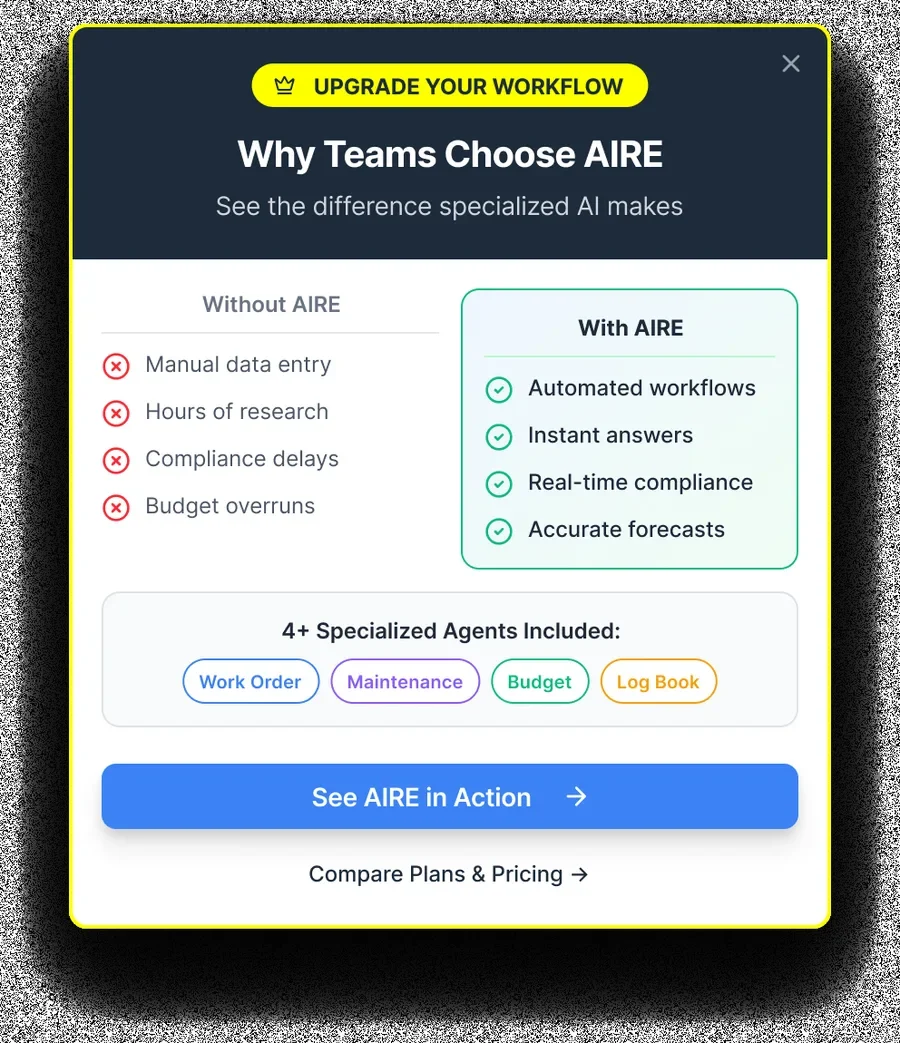
Without-AIRE vs. With-AIRE, side by side — for teams ready to see plans and pricing.
Early data showed users weren't finding the agents — even though workflows were dramatically faster once used. The bottleneck wasn't the experience; it was visibility. We brought AIRE analysis directly into the main product surfaces, so users encountered the AI inside workflows they already lived in, instead of needing to seek it out.
Building on existing Runway components protected users' mental models and got us to market in four months. But speed-to-launch and discoverability are two separate problems: solving the first doesn't automatically solve the second. Adoption needed its own deliberate design pass post-launch.
Giving each agent a distinct logo and color wasn't decoration — it helped users understand what an agent could do before ever interacting with it, and made the subscription tiers legible at a glance.
The biggest time savings didn't come from making one form faster — they came from chaining each completed step into the most likely next one, collapsing multi-screen journeys into a single guided thread.